
PDF Imposition
Lay a PDF out as a booklet, 2-up, 4-up or repeated to fill the sheet, ready to print.
Works in your browser. Your PDF is never uploaded.
or drop it anywhere in this box
Single pages at their finished size. It never leaves your device.
PDF Imposition at a glance
- Price
- Free
- Works on
- PDF, any number of pages
- Layouts
- Booklet, 2-up, 4-up, repeat
- Sheets
- Twice the page, A4, A3, SRA3, Letter, Legal, Tabloid, 12 × 18, 13 × 19
- Adds
- Margin, gap, crop marks at the sheet edges
- Upload
- None, the PDF stays on your device
How to use PDF Imposition
- Open the PDFChoose the PDF or drop it into the box. It is read on your device and never uploaded. Each page should be one finished page, such as one A5 page of a booklet or one business card.
- Choose the layoutPick Booklet, 2-up, 4-up or Repeat. Repeat is for cards and labels: it sets crop marks, a 5 mm margin and a 3 mm gap for you.
- Pick the sheetLeave Twice the page size for a booklet or 2-up with nothing scaled, or choose the sheet your printer runs. The tool turns it whichever way fits best; change Turn the sheet to insist.
- Check the preview and downloadThe preview is the first sheet exactly as it will print, both sides for a booklet, with the number of sheets and the page scale beside it. Press Download imposed PDF and send that file to the printer.
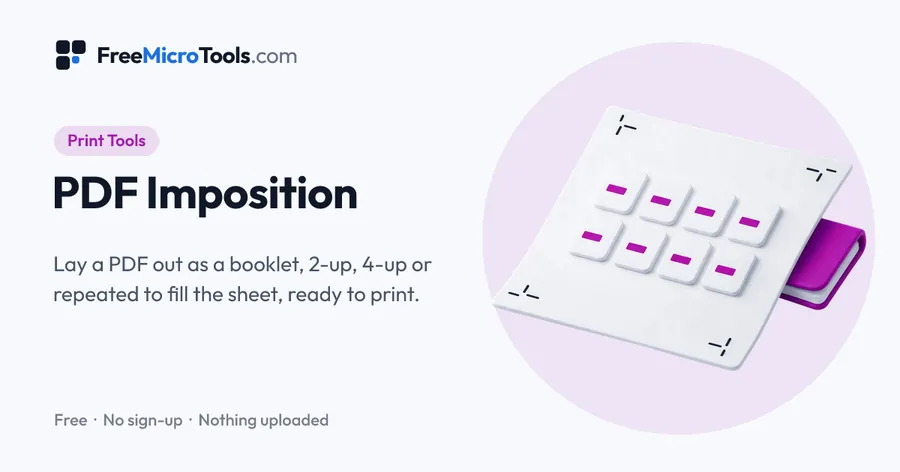
You have a PDF of single pages and a printer that wants sheets. Open the PDF here and choose how the pages should sit: as a booklet, with the pages paired in printer order so the folded, stapled result reads from one to the end; two or four to a sheet in reading order; or each page repeated as many times as fit, the way business cards, tickets and labels are run. Pick the sheet your printer uses, from A4 and Letter to SRA3 and 13 × 19, or simply twice the page size. Pages are shrunk to fit or kept at actual size, turned the way a reader sees them, and centred in their cells, with a margin, a gap and crop marks at the sheet edges when you want them. The preview shows the first sheet, both sides for a booklet, exactly as it will print. Everything happens on your device, so the file is never uploaded.
How it works
PDF Imposition is a web page that does its work on your own device. The file you choose is opened by your browser, changed there and saved from there; it is never sent to a server, so there is no copy of it anywhere to delete, no queue and no waiting for an upload. Most online tools of this kind send your file to their servers and work on it there, and many keep it for a while. This one does not. There is no account, no watermark and no limit on how often you use it, and the result downloads the moment it is ready.
Open it for one job
What imposition is
A printer rarely prints one page on one sheet. Pages are arranged on a larger sheet so that, once it is printed, folded and cut, they come out in the right order and the right way up. Arranging them is called imposition. For a booklet it decides which pages share a sheet so the stapled result reads from one to the end; for cards and labels it decides how many copies fit and where every cut falls. Print shops do this in prepress software that costs more than the printer. This tool does the common cases in your browser, from a PDF of single pages.
The four layouts
- Booklet. Saddle-stitched: the sheets are stacked, folded down the middle and stapled on the fold. The page count is made up to a multiple of four with blank pages at the end, and the pages are paired in printer order: the last with the first, the second with the second-last, and so on, with the inner pairs on the backs. Print double-sided, flipping on the edge the preview names, and the finished booklet reads straight through.
- 2-up and 4-up. Two or four pages on each sheet, in reading order, for proofs, handouts and saving paper. Pages are shrunk to fit unless you ask for actual size.
- Repeat. Each page as many times as fit on the sheet, at actual size, with a margin, a gap and a crop mark at the sheet edge for every cut. This is how business cards, tickets, labels and small flyers are run: ten standard cards fit on a Letter or A4 sheet, more on SRA3.
Which sheet, and which way round
"Twice the page size" is the usual choice for a booklet or 2-up: an A5 document goes on A4, a Letter-half document on Letter, with nothing scaled. For other work pick the sheet your printer runs. By default the tool turns the sheet whichever way fits the pages best and tells you which it chose; you can insist on portrait or landscape. Pages that were saved sideways are turned the way a reader sees them before they are placed.
| Sheet | Size | Holds at actual size |
|---|---|---|
| A4 | 210 × 297 mm | Two A5 pages; ten 85 × 55 mm cards |
| A3 | 297 × 420 mm | Two A4 pages; four A5 pages |
| SRA3 | 320 × 450 mm | Two A4 pages with bleed and marks; twenty-one 85 × 55 mm cards |
| Letter | 8.5 × 11 in | Two 5.5 × 8.5 in pages; ten 3.5 × 2 in cards |
| Tabloid | 11 × 17 in | Two Letter pages; four half-Letter pages |
| 12 × 18 in | 12 × 18 in | Two Letter pages with bleed and marks |
Margins, gaps and crop marks
The margin is clear paper at the edge of the sheet. A commercial press trims it away, so it can be zero; a desktop printer cannot print to the edge, so give it the margin its manual asks for, usually 5 mm. The gap is the space between pages. For a booklet it should be zero, because the two pages meet at the fold. For cards and labels a gap of 3 mm, or none if the cards have bleed, keeps each cut clear of its neighbour. Crop marks are drawn at the sheet edges, one for every vertical and horizontal cut, so the guillotine operator can line up each cut without a mark ever landing on a card. They are drawn full length when the margin is 8 mm or more, and shortened to fit a smaller margin.
What is kept and what is not
Each page is placed as a reader sees it, with its text, pictures and vector artwork intact and still sharp at any size. Links, form fields and comments are left out: they mean nothing on a press. The output is a plain PDF with one page per printed side, which any print shop or office printer accepts.
What it does
- Booklet: pages paired in printer order for saddle stitching, padded to a multiple of four
- 2-up and 4-up in reading order, shrunk to fit or at actual size
- Repeat: each page as many times as fit at actual size, for cards, labels and tickets
- Sheets: twice the page size, A4, A3, SRA3, Letter, Legal, Tabloid, 12 × 18 and 13 × 19 inches
- Turns the sheet whichever way fits best, or the way you insist on
- Margin and gap in millimetres or inches; crop marks at the sheet edges for every cut
- Pages saved sideways are turned the way a reader sees them before they are placed
- A true preview of the first sheet, front and back for a booklet, before you download
Questions
How do I print a PDF as a booklet?
Open the PDF here, leave Booklet selected and Twice the page size as the sheet, and download. The pages are paired in printer order and padded to a multiple of four. Print the result double-sided, flipping on the edge the preview names, fold the stack down the middle and staple on the fold. The booklet then reads from page one to the end.
Which edge do I flip on for double-sided printing?
It depends on which way the sheet is turned. The preview says so: on a landscape sheet with the two pages side by side, flip on the short edge; on a portrait sheet, flip on the long edge. Getting this wrong puts every other page upside down, so do a one-sheet test first.
Why are there blank pages at the end of my booklet?
A saddle-stitched booklet is made of folded sheets, each giving four pages, so the page count has to be a multiple of four. If your document has 14 pages, two blank pages are added at the end. To avoid them, add or remove pages in the document before imposing it.
How many business cards fit on a sheet?
At the usual 85 × 55 mm, ten fit on A4 with a 3 mm gap, and twenty-one on SRA3. At 3.5 × 2 inches, ten fit on Letter. Choose Repeat and the preview counts them for you; the gap and margin fields change how many fit.
Does 2-up shrink my pages?
With Shrink to fit, each page is scaled down only as far as needed to fit its cell, and never enlarged; two A4 pages on an A4 sheet become A5. With Actual size they stay at 100%, and if they do not fit the preview says so. Choose a larger sheet or Twice the page size to keep them at full size.
Can I add bleed and crop marks to the pages first?
Yes, and for cards and flyers you should. Run the pages through Add Bleed and Crop Marks to PDF first, then impose the result with a gap of zero, so the bleed of one card meets the bleed of the next and the marks at the sheet edge show every cut.
Does it keep my links and form fields?
No. Links, form fields and comments are left out, because they mean nothing on a press. Text, pictures and vector artwork are placed as they are and stay sharp at any size.
Is my PDF uploaded?
No. The file is opened, laid out and saved on your own device. Nothing is sent anywhere.
More
More Print tools
See all →
DPI Checker
Print ToolsSee if your image has enough pixels to print sharp at the size you want.
DPI Changer
Print ToolsSet the DPI of a JPG or PNG to 300, or any value, without touching a pixel.

Add Bleed and Crop Marks to PDF
Print ToolsGive a PDF the bleed and crop marks your printer asked for.