
Bank Statement Converter
Turn a PDF bank statement into a clean CSV or Excel table, in your browser, with the balance checked.
Works in your browser. Your statement never leaves your computer.
or drop them anywhere in this box
Bank and card statements saved from online banking. They never leave your computer.
Bank Statement Converter at a glance
- Price
- Free
- Files uploaded
- None, it runs in your browser
- Sign-up
- Not needed
- Takes
- PDF statements with a text layer
- Gives
- CSV, Excel (.xlsx), or a copy for Google Sheets
- Checks
- Balance change against the totals
How to use Bank Statement Converter
- Drop the statementPress Choose statement PDFs or drop one or more statements into the box. A locked statement asks for its password here; it stays on your device.
- Check the tableThe transactions appear with the totals and the balance check. Choose how dates and amounts should be written, and tick Swap debit and credit if the check says a column is the wrong way round.
- Download or copyPress Download CSV or Download Excel, or Copy for Google Sheets and paste into cell A1 of a sheet.
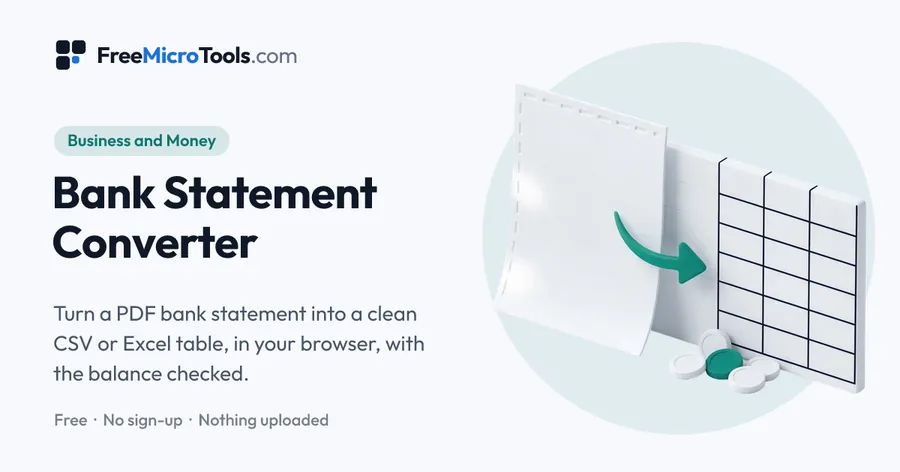
Drop the PDF statement your bank gives you and read every transaction as a table: date, description, debit, credit and balance, with wrapped description lines joined back together. The running balance is checked against the totals so you know every row was read. Download it as CSV or Excel, or copy it straight into Google Sheets; dates can be written as YYYY-MM-DD and amounts as debit and credit columns or one signed column, whichever your accounting import wants. Several statements can be combined into one file. The statement is read by code running in your browser and is never uploaded.
How it works
Bank Statement Converter is a web page that does its work on your own device. The file you choose is opened by your browser, changed there and saved from there; it is never sent to a server, so there is no copy of it anywhere to delete, no queue and no waiting for an upload. Most online tools of this kind send your file to their servers and work on it there, and many keep it for a while. This one does not. There is no account, no watermark and no limit on how often you use it, and the result downloads the moment it is ready.
Straight to one job
Bank Statement to CSV · Bank Statement to Excel · PDF to Google Sheets
How a statement is read
A PDF statement from online banking carries its text as text, each word placed at a position on the page. The tool reads those positions: words on the same line become a row, and a row that starts with a date and contains at least one amount is a transaction. Amounts line up on their right edge, so the right edges of all the amounts on the statement show where the columns are. The header row, where there is one, names them (Debit, Credit, Withdrawals, Deposits, Balance, Amount); where there is no header, the running balance tells them apart, because each row's balance moves by the row's amount. Description lines that wrap onto a second line are joined back onto their transaction.
The balance check
When the statement has a running balance column, the tool compares the change from the first balance to the last with the sum of the credits minus the debits. If they match to the cent, every transaction row was read and the debit and credit columns are the right way round. If they do not, the difference is shown so you know what to look for in the preview: a row with an unusual date format, or an amount that sat slightly out of its column. Swap debit and credit fixes the one layout the tool cannot tell apart on its own, a statement with no balance column and no header.
What comes out
The CSV opens in Excel, Numbers, Google Sheets and every accounting import. Dates can be kept exactly as printed or written as YYYY-MM-DD, which spreadsheets and accounting software read without guessing; the day and month order is worked out from the dates themselves when any day is above 12, and can be set by hand otherwise. Amounts are plain numbers with two decimals and no currency sign, as debit and credit columns or as one signed column, whichever your import wants. Copy for Google Sheets puts the same table on the clipboard as tab-separated text, so it pastes straight into a sheet.
What it cannot read
- Scanned statements and photos. They have no text layer, and reading them needs text recognition; the tool says so when it meets one. Ask the bank for the PDF statement from online banking, which is text.
- Statements laid out as prose rather than rows, or with the amount printed under the description instead of beside it. These are rare in bank statements but appear in some card and wallet statements.
- Interest, fee and summary tables elsewhere on the statement are left out on purpose, so they are not mistaken for transactions.
What it does
- Date, description, debit, credit and balance columns found from the layout
- Wrapped description lines joined; the running balance checked against the totals
- CSV, Excel, or copy for Google Sheets
- Dates as printed or as YYYY-MM-DD; debit and credit columns or one signed column
- Several statements combined into one table, with a column naming the file
- Password-protected statements opened with the password, on your device
- No upload, no account, no page limit
Questions
Is my bank statement uploaded?
No. The PDF is read by code running in your browser on your own device, and the table is made there too. Nothing is sent to us or to anyone else, nothing is stored, and closing the tab discards it all.
How do I convert a bank statement PDF to CSV?
Download the statement as a PDF from online banking, drop it here, check the table and press Download CSV. The file opens in Excel, Numbers, Google Sheets and accounting software imports.
Does it work with my bank?
It reads any PDF statement whose text can be selected, from any bank or card issuer, in any currency, by finding the dates and the columns of amounts from their positions on the page. If a statement comes back with no rows, its layout is one the tool does not recognise yet; tell us the bank through the Support link, without sending the statement, and we will look at the layout.
Why does it say the balance does not reconcile?
The change in the running balance should equal the credits minus the debits. When it does not, a row was probably missed or the debit and credit columns are swapped. Look through the preview for a missing row, and try Swap debit and credit; a statement with no balance column cannot be checked this way.
Can it read a scanned statement?
No. A scan or a photo has no text, and reading it needs text recognition, which this tool does not do yet. The tool tells you when a file has no readable text. Most banks offer a text PDF from online banking.
How do I get the transactions into Google Sheets?
Press Copy for Google Sheets, open a sheet, click cell A1 and paste. Each column lands in its own column. Or download the CSV and use File → Import in Sheets.
Can I convert several months at once?
Yes. Drop all the statements together or use Add another statement. The rows are combined in one table with a Statement column naming the file each row came from, so a year of statements becomes one CSV.
Is it free?
Yes, completely free, with no sign-up, no page limit and no watermark.
More
More business and money
See all →
GST Invoice Generator
Business and MoneyMake a GST tax invoice with the tax worked out, and download it as a PDF.

Invoice Generator
Business and MoneyFill in a form, see the invoice as you type, and download it as a clean PDF.

Business Plan Template
Business and MoneyA guided business plan you fill in online, then download as Word or PDF.