
Favicon Generator
Make every favicon size and the web app manifest from one image, in a ZIP.
Runs entirely in your browser. Your files are never uploaded.
or drop it anywhere in this box
A square PNG or SVG of at least 512 px is ideal. It never leaves your device.
How it will look
Browser tabs in light and dark, a phone home screen, and the sizes in between.
The home-screen icon (180 px) and the two Android icons are saved on the background you choose, or white when it is transparent, because phones put black behind see-through icons.
What goes in the ZIP
HTML to paste in your <head>
Favicon Generator at a glance
- Price
- Free
- Files uploaded
- None, it runs in your browser
- Sign-up
- Not needed
- Takes
- PNG, SVG, JPG or WebP, or letters
- Makes
- ICO, PNG at 16, 32, 180, 192 and 512 px, manifest
- Download
- One ZIP, or the ICO alone
How to use Favicon Generator
- Choose your image or type a letterPress Choose an image, or choose A letter and type one or two characters and pick the colours.
- Check the previewsLook at the light and dark tabs and the home screen. Add padding, rounded corners or a background colour if the mark needs them, and type the app name.
- DownloadPress Download all (ZIP), put the files in the root of your site and paste the HTML into your pages.
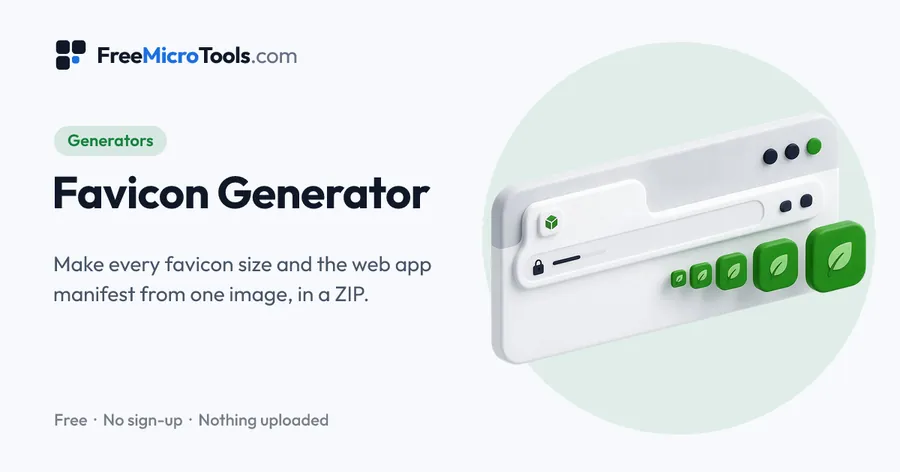
Drop in your logo, or type a letter and pick two colours if you have no logo yet, and see it at once in a light tab, a dark tab and on a phone home screen. Adjust the padding, the corners and the colour behind it, then download a ZIP with favicon.ico (16, 32 and 48 px in one file), the 16 and 32 px PNGs, the 180 px Apple touch icon, the 192 and 512 px Android icons, the web manifest and, when you start from an SVG, the SVG itself. The HTML to paste into your pages is on the same page. Everything is drawn by your browser, so the image is never uploaded.
How it works
Favicon Generator is a web page that does its work on your own device. The file you choose is opened by your browser, changed there and saved from there; it is never sent to a server, so there is no copy of it anywhere to delete, no queue and no waiting for an upload. Most online tools of this kind send your file to their servers and work on it there, and many keep it for a while. This one does not. There is no account, no watermark and no limit on how often you use it, and the result downloads the moment it is ready.
Straight to one job
What each file is for
| File | Size | Used by |
|---|---|---|
| favicon.ico | 16, 32 and 48 px in one file | Every browser, including old ones, and anything that asks for /favicon.ico without being told |
| favicon-16x16.png, favicon-32x32.png | 16 and 32 px | Browser tabs, bookmarks and history on normal and sharp screens |
| apple-touch-icon.png | 180 px | iPhone and iPad home screen when someone adds the site; Safari's start page |
| android-chrome-192x192.png, android-chrome-512x512.png | 192 and 512 px | Android home screen, the install prompt and the splash screen, through the manifest |
| site.webmanifest | text | Tells Android and desktop browsers the site's name and where the icons are |
| favicon.svg | any | Included when you start from an SVG: stays sharp at every size in browsers that take it |
Put all the files in the root of your site, the same folder as the home page, and paste the lines from the HTML box into the <head> of every page. The ICO does not need a tag, but the tag helps browsers find it faster.
Making an icon that reads at 16 pixels
- One shape, one idea. A logo with a word in it becomes a smudge at 16 px. Use the mark alone, or a single letter on a colour.
- Fill the square. Padding of a few percent keeps the edge clean; more than that wastes the little room there is. The exception is a circular or very busy mark, which reads better with more air.
- Check both tab strips. A dark logo vanishes on a dark tab and a white one on a light tab. A coloured background behind the mark solves both.
- Start from a big, square, transparent PNG or an SVG. A 512 px square is the smallest source that gives sharp results all the way up; an SVG has no limit.
What this tool does not do
- It does not upload the files to your site. Download the ZIP and put the files there yourself, or hand them to whoever runs it.
- It does not draw a logo for you. The letter option gives a clean placeholder until you have one.
- It does not add an icon to a Windows tile or make a maskable Android icon with its own safe zone; the padding slider gives the same effect when you need it.
What it does
- Every size in one ZIP: favicon.ico, 16 and 32 px PNG, 180 px Apple touch icon, 192 and 512 px Android icons
- site.webmanifest written for you, with the app name you type
- Preview in a light tab, a dark tab and on a phone home screen before you download
- Padding, rounded corners and a colour behind the image
- No logo yet? Type one or two letters and pick two colours
- Starting from an SVG keeps the SVG in the ZIP for browsers that use it
- The HTML for your <head>, ready to copy
- Nothing is uploaded
Questions
Is my logo uploaded?
No. Every icon is drawn by your browser on your own device from the image or letters you give it, and the ZIP is made there too. Nothing is sent to us or stored.
Which favicon sizes do I actually need?
A favicon.ico holding 16, 32 and 48 px covers every browser; the 32 px PNG is used on sharp screens; the 180 px Apple touch icon is what iPhones show on the home screen; the 192 and 512 px PNGs are what Android and the install prompt use through the manifest. This tool makes all of them, so you do not have to choose.
Where do I put the files?
In the root of your site, next to the home page, so they are reached as /favicon.ico and so on. Then paste the lines from the HTML box into the head of your pages. If you use a site builder or a platform, its settings page usually takes the 512 px PNG or the ICO and places them for you.
Is favicon.ico still needed?
Yes. Browsers and many other programs ask for /favicon.ico without being told, and some older software reads nothing else. The one made here holds three sizes inside, so it looks right in tabs, bookmarks and shortcuts.
Why are the phone icons not transparent?
iPhones and Android phones fill the space behind a see-through icon with black, which is rarely what you want, so the 180, 192 and 512 px icons are saved on the background colour you choose, or white when you keep the small icons transparent. The 16 and 32 px icons and the ICO keep transparency.
Can I make a favicon from a letter?
Yes. Choose A letter, type one or two characters, pick a background and a letter colour, and choose a rounded square, circle or square. It is a clean placeholder until you have a logo, and many sites keep one for good.
What size should the source image be?
A square PNG or SVG of at least 512 px. Smaller images still work but the 512 px icon will be soft. A JPG works too, but it has no transparency and brings its background with it.
Does it make a maskable icon or Windows tiles?
Not as separate files. Set padding of about 10 percent and a background colour, and the 512 px icon works well as a maskable icon too. Windows tiles are no longer needed for modern browsers.
Is it free?
Yes, completely free, with no sign-up and no limit.
More
More generators
See all →
UUID Generator
GeneratorsUUIDs of version 4, 7 or 5, one or a thousand, in the format your code wants.
Online Signature Generator
GeneratorsDraw, type or photograph your signature and download it as a transparent PNG.
Podcast Name Generator
GeneratorsA dozen podcast names at a time, built from what your show is about, in the tone you want.