
Audio Trimmer and MP3 Cutter
Cut a song or recording to the part you want, with fades, and save it as MP3 or WAV.
Works in your browser. Your audio is never uploaded.
or drop it anywhere in this box
MP3, WAV, M4A, OGG, FLAC and more. It never leaves your device.
Drag the handles, or tap the waveform to move the nearest one. With a handle selected, the arrow keys move it by 0.1 seconds, or 1 second with Shift.
Audio Trimmer and MP3 Cutter at a glance
- Price
- Free
- Files uploaded
- None, it runs in your browser
- Opens
- MP3, WAV, M4A, AAC, OGG, Opus, FLAC
- Saves as
- MP3 (128 to 320 kbps), WAV, OGG
- Precision
- 0.1 second
- Fades
- In and out, 0.5 to 5 seconds
How to use Audio Trimmer and MP3 Cutter
- Choose your audio filePress Choose an audio file or drop it into the box. Its waveform appears.
- Select the partDrag the two handles on the waveform, or type the Start and End times. Press Play selection to check it.
- Keep it or cut it outChoose Keep the selection or Cut out the selection, add a Fade in or Fade out if you like, and pick the format under Save as.
- SavePress Save trimmed audio. The new file downloads with -trimmed added to its name.
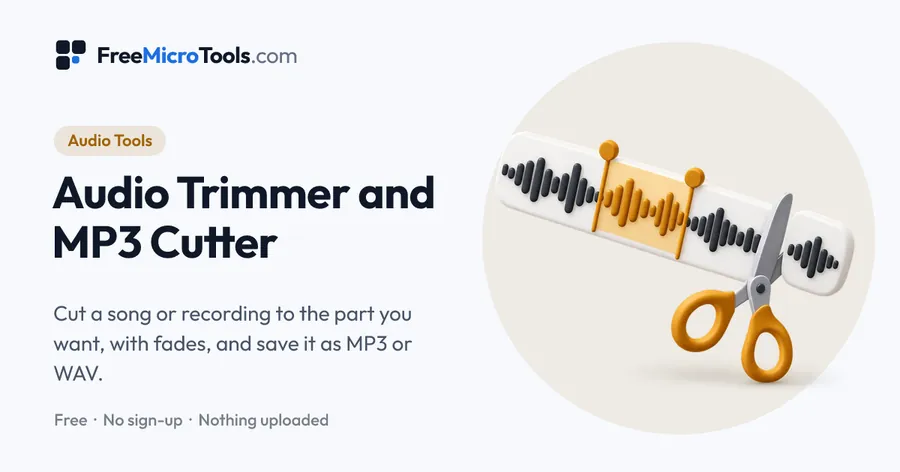
Open a song, voice memo, podcast or any recording and see its waveform. Drag the two handles, or type exact times, to choose a part, then either keep just that part or cut it out and join the rest smoothly. Play the selection to check it, add a fade in or fade out, and save the result as MP3, WAV or OGG. It opens MP3, WAV, M4A, AAC, OGG, Opus and FLAC files, works on phones and computers, and everything happens in your browser, so your audio is never uploaded.
How it works
Audio Trimmer and MP3 Cutter is a web page that does its work on your own device. The file you choose is opened by your browser, changed there and saved from there; it is never sent to a server, so there is no copy of it anywhere to delete, no queue and no waiting for an upload. Most online tools of this kind send your file to their servers and work on it there, and many keep it for a while. This one does not. There is no account, no watermark and no limit on how often you use it, and the result downloads the moment it is ready.
This free audio trimmer, also called an MP3 cutter, shortens a song or recording to the part you want. It shows the whole file as a waveform, so loud parts, quiet gaps and silence at the start or end are easy to spot before you cut.
Keep a part, or cut a part out
- Keep the selection trims away everything before the start handle and after the end handle. Use it for a ringtone, a clip to share, or a sample.
- Cut out the selection removes the part between the handles and joins what comes before and after with a 10 millisecond crossfade, so the join does not click. Use it to take out a mistake, a pause or an advert break.
Choosing the format to save
| Save as | Best when |
|---|---|
| MP3, 320 kbps | You started from an MP3 or M4A and want to keep as much quality as possible |
| MP3, 192 kbps | Everyday listening and sharing, at a smaller size |
| MP3, 128 kbps | Speech, voice memos and the smallest files |
| WAV | You started from WAV or FLAC, or will edit the audio further; nothing more is lost |
| OGG | A game, app or program asks for OGG |
Tips for a clean cut
- Start and end cuts in a quiet moment, where the waveform is thin, and they will sound natural.
- If a cut still ends too suddenly, add a short fade out of 0.5 or 1 second.
- Use Play the last 3 seconds to check the ending without listening to the whole selection.
Only edit audio you made or have the right to use. Cutting a song does not change who owns it.
What it does
- Waveform with draggable start and end handles, to a tenth of a second
- Type exact start and end times, or nudge with the arrow keys
- Keep the selection, or cut it out and join the rest with a smooth crossfade
- Play the selection, its last 3 seconds, or the sound around a cut
- Fade in and fade out from 0.5 to 5 seconds
- Save as MP3 (128, 192 or 320 kbps), WAV or OGG
- Opens MP3, WAV, M4A, AAC, OGG, Opus and FLAC; nothing is uploaded
Questions
How do I cut an MP3 file?
Choose the MP3, drag the handles on the waveform to the start and end of the part you want, press Play selection to check it, then press Save trimmed audio. The shorter MP3 downloads straight away.
Can I remove a part from the middle of a song?
Yes. Select the part you do not want, choose Cut out the selection and save. The sound before and after is joined with a very short crossfade, so there is no click where the cut was. Press Play around the cut to hear the join first.
How exact can the cut be?
To a tenth of a second. Type the times in the Start and End boxes, for example 1:23.4, or select a handle and use the arrow keys to move it 0.1 seconds at a time.
Does trimming an MP3 lower its quality?
Saving as MP3 again compresses the sound a second time, which loses a little detail. Choose MP3 at 320 kbps to keep the most, or WAV to lose nothing more at all. Trimming a WAV or FLAC file and saving it as WAV keeps every sample exactly.
Can I make a ringtone?
Yes for Android: trim the part you want to about 30 seconds, add a short fade in and out, and save it as MP3. iPhone ringtones use a different file type that has to be set up with GarageBand or a computer, so this tool cannot make one directly.
Can I trim a voice memo or voice message?
Yes. iPhone voice memos (M4A) and voice messages saved as OGG or Opus open here. Cut out the silence or the part you do not need and save it as MP3.
Why can I not hear the fade when I play the part around a cut?
Fades apply to the very start and end of the saved file. Play selection plays them when you keep a part; when you cut a part out, the fades are added to the start and end of the whole file when you save.
Are song details and album art kept?
No. The new file holds the sound only, so title, artist and cover art are not copied. Most music apps let you add them again.
Is my audio uploaded?
No. The file is opened, cut and saved by your browser on your own device, and it is never sent to us or anyone else.
Is it free?
Yes, completely free, with no sign-up, no watermark and no limit on file length.
More
More Audio tools
See all →
Audio Converter
Audio ToolsConvert WAV, MP3, M4A, OGG and FLAC files to MP3, WAV or OGG, without uploading them.
BPM Finder
Audio ToolsFind the tempo of a song from its file, check it with a click track, or tap along to the beat.
Pitch Shifter
Audio ToolsRaise or lower the key of a song without changing its speed, and hear it before you save.