
Rotate PDF
Turn PDF pages the right way up and save them that way, without uploading.
Runs entirely in your browser. Your files are never uploaded.
or drop it anywhere in this box
It never leaves your computer.
Separate with commas. Use a dash for a range, like 4-7.
Rotate PDF at a glance
- Price
- Free
- Files uploaded
- None, it runs in your browser
- Angles
- 90 degrees right or left, 180 degrees
- Pages
- All, odd, even or chosen pages
- Quality
- Unchanged, nothing is re-compressed
- Sign-up
- Not needed
How to use Rotate PDF
- Choose your PDFPress Choose a PDF file or drop the PDF into the box. It opens in your browser and is not uploaded.
- Pick the turn and the pagesChoose 90° right, 90° left or 180°, then All pages, Odd pages, Even pages or Pages I pick.
- Rotate and savePress Rotate PDF to save the PDF with the pages turned permanently.
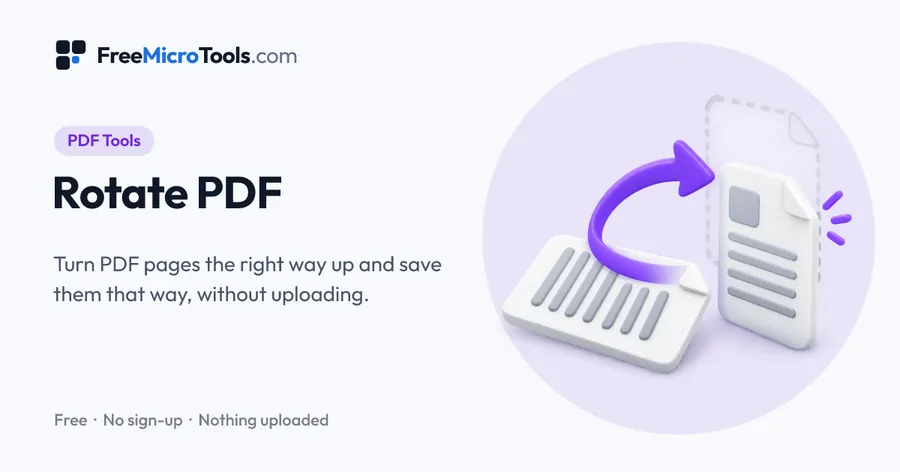
Rotate every page of a PDF, only odd or even pages, or just the pages you choose, by 90 degrees either way or 180 degrees. The rotation is saved into the file, so it opens the right way up everywhere. Links, bookmarks and form fields stay as they were, and nothing is re-compressed. It all happens in your browser, so the PDF is never uploaded.
How it works
Rotate PDF is a web page that does its work on your own device. The file you choose is opened by your browser, changed there and saved from there; it is never sent to a server, so there is no copy of it anywhere to delete, no queue and no waiting for an upload. Most online tools of this kind send your file to their servers and work on it there, and many keep it for a while. This one does not. There is no account, no watermark and no limit on how often you use it, and the result downloads the moment it is ready.
Rotated for good, not just on your screen
Most PDF readers let you turn a page while you look at it, but the moment you close the file, email it or open it on your phone, it is sideways again. That is because the reader only changed the view. This tool changes the page's direction setting inside the PDF itself, so every app, printer and person you send it to sees it the right way up.
Nothing is redrawn
A PDF page stores its content once and a separate note saying which way up to show it. Rotating only changes that note. The text stays sharp and searchable, images keep their full quality, and the file size barely changes. Links, bookmarks and fillable form fields stay exactly where they were.
Fixing scans
- One or two sideways pages, such as a landscape table in a portrait report: choose Pages I pick and type their numbers.
- Every other page upside down after a double-sided scan: choose Even pages and 180°.
- The whole document sideways: choose All pages and the direction that turns the top of the page to the top of your screen.
If you are not sure which way to turn, look at the top of the text on a sideways page. If it points to the right, choose 90° left; if it points to the left, choose 90° right.
What it does
- Rotate 90 degrees right, 90 degrees left, or 180 degrees
- All pages, odd pages, even pages, or the pages you type, like 2, 5-7
- Saved permanently, so the PDF opens the right way up in every app
- Text, images and quality are untouched: pages are turned, not redrawn
- Links, bookmarks and form fields are kept
- Your file never leaves your device
Questions
Is my PDF uploaded?
No. The PDF is rotated by your browser on your own device and is never sent to our server or anyone else's.
Is the rotation saved permanently?
Yes. The new direction is written into the PDF, so it opens the right way up in any PDF reader, on any device, and when you email or print it.
How do I rotate only one page?
Choose Pages I pick, type the page number, such as 3, and choose the direction. You can list several pages and ranges, like 2, 5-7, 10.
Does rotating reduce the quality?
No. Only the page's direction setting changes. Text, images and drawings are not redrawn or compressed, so everything looks exactly as before.
Why are some pages sideways after scanning?
Scanners and phone scanning apps often save landscape pages, or pages placed the wrong way on the glass, turned sideways. Rotate just those pages, or odd or even pages if every other page came out upside down in a double-sided scan.
Can I rotate a password-protected PDF?
Not until the password protection is removed. The tool will tell you if the file is protected.
Is it free?
Yes, completely free, with no sign-up, no watermark and no limit.
More
More PDF tools
See all →
Merge PDF
PDF ToolsCombine PDF files into one, in the order you want, without uploading them.

Compress PDF
PDF ToolsReduce PDF file size without uploading it anywhere.

Split PDF
PDF ToolsExtract pages or split a PDF into separate files, without uploading it.