
GST Invoice Generator
Make a GST tax invoice with the tax worked out, and download it as a PDF.
Made in your browser. Nothing you type is sent to us.
Your invoice
GST Invoice Generator at a glance
- Price
- Free
- Sign-up
- Not needed
- Taxes
- CGST, SGST, UTGST and IGST
- Output
- PDF tax invoice
- Payment
- UPI QR code and bank details
- Data sent to us
- None, it runs in your browser
How to use GST Invoice Generator
- Enter your business detailsFill in your business name, GSTIN, state and address, then the invoice number, invoice date and place of supply.
- Add the customer and itemsEnter the customer’s details and each item with its HSN or SAC code, quantity, rate and GST rate. CGST, SGST or IGST and the totals are worked out as you type.
- Download the invoiceCheck the invoice preview, then press Download PDF.
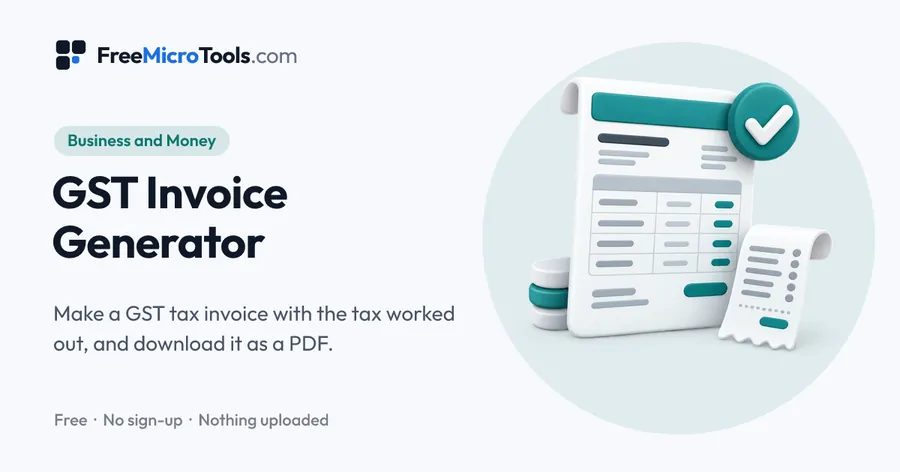
Fill in your business, the customer and the items, and the tool works out the GST for you: CGST and SGST (or UTGST) when the supply stays within your state, IGST when it goes to another state. It adds a tax summary by rate, the total in words using lakh and crore, your bank details and a UPI QR code with the amount filled in, then checks the invoice for common mistakes, like a mistyped GSTIN, before you download a clean PDF. Everything happens in your browser, so your invoice details are never sent to us.
How it works
GST Invoice Generator is a web page that does its work on your own device. The file you choose is opened by your browser, changed there and saved from there; it is never sent to a server, so there is no copy of it anywhere to delete, no queue and no waiting for an upload. Most online tools of this kind send your file to their servers and work on it there, and many keep it for a while. This one does not. There is no account, no watermark and no limit on how often you use it, and the result downloads the moment it is ready.
How the tax is worked out
Each item's taxable value is its quantity times its rate, less any discount. The GST on it depends on where the supply goes:
- Same state as your registration: half the rate as CGST and half as SGST. In Chandigarh, Ladakh, Lakshadweep, Andaman and Nicobar Islands, and Dadra and Nagar Haveli and Daman and Diu, the local half is UTGST.
- A different state: the full rate as IGST.
Tax is worked out to the paisa on each line, then added up by rate in the tax summary. If you round the total, the difference appears as a separate round-off line, so every figure on the invoice still adds up.
Checks before you download
Every GSTIN carries its own check character, worked out from the other 14. The tool recalculates it, so a single mistyped letter or digit is caught before the invoice reaches your customer. It also checks that the GSTIN matches the state you chose, that the invoice number follows the 16-character rule, and that invoices to registered customers carry HSN or SAC codes.
What this tool does not do
- It does not generate an IRN or register e-invoices on the government portal.
- It does not create e-way bills or file GST returns.
- It does not add compensation cess, or the extra wording needed for exports and supplies under a letter of undertaking.
Check each invoice before you send it. If you are unsure how a supply should be taxed, ask your accountant or tax adviser.
What it does
- CGST + SGST, UTGST or IGST chosen from your state and the place of supply
- Line items with HSN/SAC, quantity and unit, rate, discount and GST rate
- Tax summary by rate, round-off and the total in words in lakh and crore
- UPI QR code with the invoice amount filled in, plus bank details
- Checks GSTINs, including the check character, and the invoice number rules
- Your logo, a delivery address and reverse charge when you need them
- Optionally remembers your business details on your own device
- Downloads a PDF invoice; nothing you type is sent to us
Questions
Is this GST invoice generator free?
Yes, completely free, with no sign-up, no watermark and no limit on invoices.
Is my invoice data uploaded?
No. The invoice is built and turned into a PDF by your own browser. Business names, GSTINs, amounts and bank details are never sent to us. If you tick Remember, your own business details are saved in this browser on this device only.
When do I charge CGST and SGST, and when IGST?
It depends on the place of supply. If it is in the same state as your registration, the tax is split equally into CGST and SGST, or CGST and UTGST in Union Territories without a legislature. If it is in a different state, the whole tax is IGST. The tool picks this from your state and the delivery state, and you can set the place of supply yourself.
What must a GST tax invoice show?
Among other things: your name, address and GSTIN; a unique invoice number of up to 16 characters; the date; the customer's name and address, and their GSTIN if registered; HSN or SAC codes; a description, quantity and value of each item; the taxable value, rate and amount of each tax; the place of supply; whether tax is payable on reverse charge; and a signature. This tool lays all of these out for you.
Can I download the GST bill format in Excel or Word?
The tool makes a finished PDF, ready to print or send by WhatsApp or email, rather than an Excel or Word template. Fill in the form instead of editing a sheet: the tax, totals and amount in words are worked out for you, and your own business details can be remembered on your device for the next invoice.
How many digits of HSN code do I need?
Businesses with an annual turnover up to ₹5 crore must show at least 4 digits on invoices to registered customers. Above ₹5 crore, 6 digits are needed on every invoice. The tool accepts 4, 6 or 8 digits.
Does this make e-invoices with an IRN?
No. Businesses above the e-invoicing turnover limit (₹5 crore at the time of writing) must also report invoices to registered customers on the government e-invoice portal, which returns an IRN and a signed QR code. This tool makes the invoice document; it does not register it.
What are the rules for invoice numbers?
Up to 16 characters, using letters, numbers, hyphens and slashes, and unique within a financial year. Most businesses use a prefix and a running number, like INV-2026-001. When Remember is on, the tool suggests the next number after each invoice.
How does the UPI QR code work?
Enter your UPI ID and the invoice gets a QR code that opens the customer's UPI app with your name, the invoice total and the invoice number filled in. Scan it with your own phone once before sending the invoice.
Can I issue a GST invoice without GST registration?
No. Only registered businesses can charge GST on an invoice. Businesses registered under the composition scheme cannot charge GST either; they issue a bill of supply instead.
More
More business and money
See all →
Invoice Generator
Business and MoneyFill in a form, see the invoice as you type, and download it as a clean PDF.
Business Plan Template
Business and MoneyA guided business plan you fill in online, then download as Word or PDF.
Lakh Crore Converter
Business and MoneyConvert lakh and crore to million and billion, with the amount in words.