
EPUB to PDF Converter
Turn an EPUB ebook into a PDF with real text, pictures and clickable chapters.
Works in your browser. Your books are never uploaded.
or drop it anywhere in this box
An .epub ebook without copy protection. It never leaves your device.
EPUB to PDF Converter at a glance
- Price
- Free
- Files uploaded
- None, it runs in your browser
- Opens
- EPUB 2 and EPUB 3 books without copy protection
- Page sizes
- US Letter, A4, A5, 6 × 9 in
- Contents
- Clickable bookmarks and links
- Languages
- Latin, Greek and Cyrillic scripts
How to use EPUB to PDF Converter
- Choose your bookPress Choose an EPUB book or drop the .epub file into the box.
- Pick the page and text sizeChoose US Letter or A4 to print, or A5 or 6 × 9 in to read on a tablet, then small, medium or large text. The PDF is made again each time you change them.
- Download the PDFCheck the number of pages and the size, then press Download PDF.
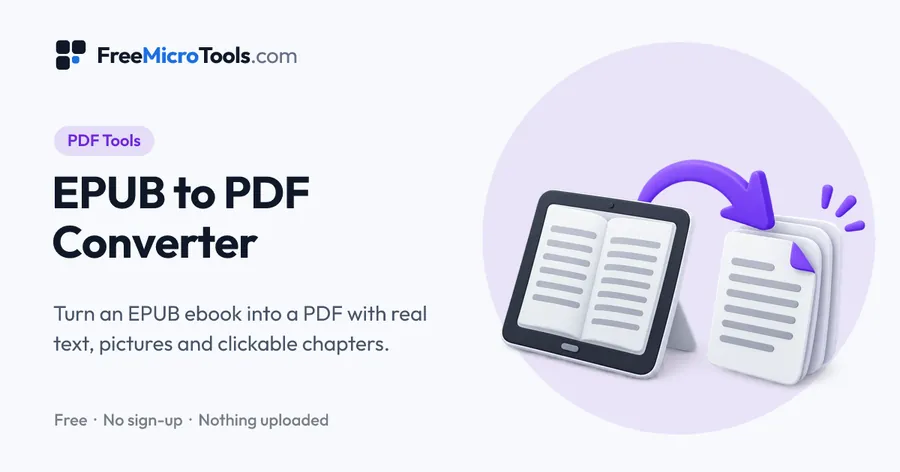
Want to print an ebook, read it on a device without an EPUB app, or send it to someone as a PDF? Drop your EPUB file here and it is set as a proper PDF book: chapters start on a new page, pictures and the cover are kept, and the table of contents becomes clickable bookmarks. Choose US Letter or A4 for printing, A5 or 6 × 9 inch for reading on a tablet, and small, medium or large text. The text stays real text, so you can search it and copy from it. Everything happens in your browser, so your books never leave your device.
How it works
EPUB to PDF Converter is a web page that does its work on your own device. The file you choose is opened by your browser, changed there and saved from there; it is never sent to a server, so there is no copy of it anywhere to delete, no queue and no waiting for an upload. Most online tools of this kind send your file to their servers and work on it there, and many keep it for a while. This one does not. There is no account, no watermark and no limit on how often you use it, and the result downloads the moment it is ready.
EPUB and PDF compared
| EPUB | ||
|---|---|---|
| Pages | Reflow to fit any screen and text size | Fixed pages, the same everywhere |
| Opens in | Ebook apps and e-readers | Every computer, phone, tablet and browser |
| Printing | Hard, most ebook apps cannot print | Easy, pages print as they look |
| Best for | Reading on a phone or e-reader | Printing, sharing, notes and study |
What is kept in the PDF
Headings, paragraphs, italics and bold, lists, tables, quotations, pictures and the cover all come across, laid out much as the book's own styles ask. Each chapter starts on a new page, a heading is moved to the next page rather than left alone at the bottom, and footnote and cross-reference links jump to the right place. Audio, video and interactive parts of a book cannot go into a PDF and are left out.
Printing the PDF as a booklet
Choose A5 pages to print a book on A4 paper folded in half, or 6 × 9 inch pages for US Letter paper, then use the booklet setting in your printer's print window. Page numbers sit at the bottom centre, so they stay readable on both sides of the paper.
What it does
- Converts EPUB 2 and EPUB 3 ebooks into PDF
- US Letter, A4, A5 or 6 × 9 inch pages, with small, medium or large text
- Real, searchable text you can select and copy
- Keeps pictures and the cover, and starts each chapter on a new page
- The table of contents becomes clickable bookmarks, and links inside the book still work
- Page numbers, which you can switch off
- No upload, no watermark, no sign-up
Questions
Can I convert books bought from an ebook store?
Usually not. Most ebook stores protect the books they sell so they only open in their own apps, and this converter does not remove that protection. Your own EPUB files, books from publishers who sell them without protection, and free public domain books convert fine.
Does the PDF look the same as in my ebook app?
It follows the book's own layout for headings, paragraphs, lists, tables and pictures, set in a clear book typeface on real pages. Special fonts the book brings with it are replaced, and decorative background colours are left out so the pages print well.
Can I search and copy the text in the PDF?
Yes. The text is real text, not pictures of pages, so you can search the PDF, select and copy passages, and have it read aloud.
Is the table of contents kept?
Yes. The book's contents become bookmarks in the PDF, so you can jump to any chapter from the sidebar of your PDF reader, and links inside the book, such as footnotes, still work.
Which page size should I choose?
US Letter or A4 if you will print on ordinary paper. A5 or 6 × 9 inch if you will read on a tablet or e-reader, where smaller pages mean less zooming. 6 × 9 inch is also a common paperback size.
Why is my book not converting?
The book may be copy protected, or it may be a fixed-layout book such as a comic, which is not supported yet. Books in scripts other than Latin, Greek and Cyrillic, such as Arabic, Hindi or Chinese, cannot be set yet either.
Are my books uploaded?
No. Your browser reads the book and makes the PDF on your own device, so nothing is sent to us or anyone else. The book typeface is loaded from this site the first time you use the converter.
Is it free?
Yes, completely free, with no sign-up, no watermark and no limit on the length of the book.
More
More PDF tools
See all →
Merge PDF
PDF ToolsCombine PDF files into one, in the order you want, without uploading them.

Compress PDF
PDF ToolsReduce PDF file size without uploading it anywhere.
Split PDF
PDF ToolsExtract pages or split a PDF into separate files, without uploading it.