
Crop PDF
Trim the white margins off scanned or printed PDF pages, or crop them by hand, without uploading.
Runs entirely in your browser. Your files are never uploaded.
or drop it anywhere in this box
It never leaves your computer.
Cropping changes which part of each page is shown and printed. The rest of the page stays inside the file and can be brought back by another program, so this is not a way to remove private content.
Crop PDF at a glance
- Price
- Free
- Files uploaded
- None, it runs in your browser
- Sign-up
- Not needed
- Ways to crop
- Trim white margins automatically, or draw the box
- Pages
- All, odd, even or the page shown
- Quality
- Unchanged, nothing is re-compressed
How to use Crop PDF
- Choose your PDFPress Choose a PDF file or drop the PDF into the box. It opens in your browser and is not uploaded.
- Choose the cropLeave Trim the white margins selected and set the space to keep, or choose Draw the crop myself and drag the box on the page. Use the arrows to look at other pages.
- Crop and savePress Crop PDF. The cropped file downloads; your original is not changed.
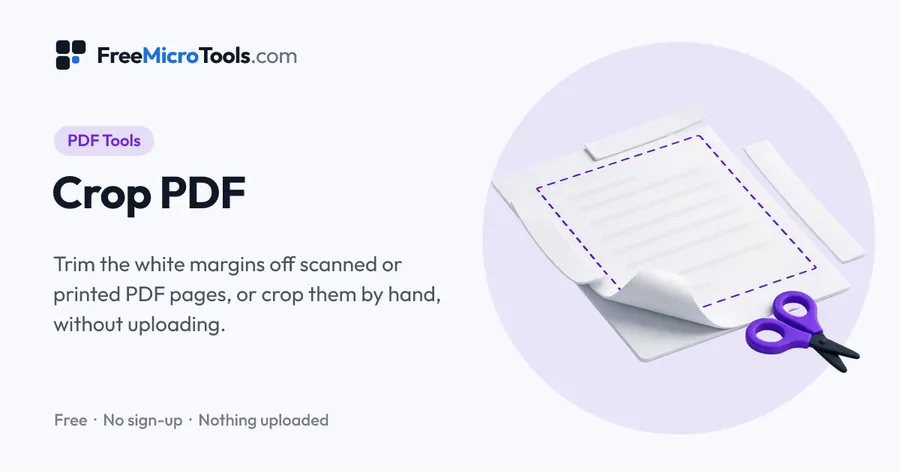
Drop in a PDF and the tool finds the content on every page and trims the white margins around it, leaving the space you choose, so scans and printouts fill the screen on a phone or an e-reader. Or draw the crop yourself on the page and apply it to all pages, odd pages, even pages or just the one shown. Pages are cropped, not redrawn: text stays as sharp and searchable as it was, and links, bookmarks and form fields stay. Everything happens in your browser, so the PDF is never uploaded.
How it works
Crop PDF is a web page that does its work on your own device. The file you choose is opened by your browser, changed there and saved from there; it is never sent to a server, so there is no copy of it anywhere to delete, no queue and no waiting for an upload. Most online tools of this kind send your file to their servers and work on it there, and many keep it for a while. This one does not. There is no account, no watermark and no limit on how often you use it, and the result downloads the moment it is ready.
Straight to one job
What cropping a PDF does
A PDF page carries a rectangle that says which part of it a reader should show and a printer should print. Cropping moves that rectangle in. Nothing on the page is redrawn or recompressed, so the text stays as sharp and as searchable as it was, and links, bookmarks and form fields keep working. It also means the cropped-off part is still inside the file: another program can widen the rectangle again. Crop to make a document easier to read or print, not to hide something.
Trimming white margins
The tool draws each page small, finds every mark darker than paper, and takes the smallest box that holds them all, then adds the space you choose. Faint scanner grey and lone specks are ignored, so a shadow along a fold or a stray dot does not stop the crop from tightening. A blank page is left alone.
Leave "Same crop on every page" on for a document that should keep one page size, such as a book scan going to an e-reader: every page gets the box that holds all of them. Turn it off for a mixed bag of receipts and letters, where each page is best cropped to its own content. If a page has a header or footer you do not want, draw the crop yourself instead; the trim keeps everything that is printed.
Cropping by hand
The box you drag is kept as a share of the page, so the same crop lands in the same place on pages of different sizes. Use Odd pages and Even pages for a double-sided scan where the binding margin swaps sides. The page arrows let you check the box on any page before you press Crop PDF.
What this tool does not do
- It does not remove the content outside the crop from the file. Use it to tidy a document, not to redact it.
- It does not straighten skewed scans or rotate pages; Rotate PDF turns pages, and a skewed page needs to be scanned again.
- It does not open password-protected PDFs. Remove the password first.
What it does
- Finds the content on every page and trims the white margins around it
- Choose how much space to leave, and whether every page gets the same crop so they stay one size
- Or drag a crop box on the page, with handles, arrow keys and a page-by-page preview
- Apply a hand-drawn crop to all pages, odd pages, even pages or only the page shown
- Text, images and quality are untouched: pages are cropped, not redrawn
- Links, bookmarks and form fields are kept
- Your file never leaves your device
Questions
Is my PDF uploaded?
No. The PDF is opened, measured and cropped by your browser on your own device. It is never sent to us or to anyone else, and nothing is stored.
How do I remove the white margins from a PDF?
Drop the PDF in and leave Trim the white margins selected. The tool finds the content on every page and crops to it, leaving the few millimetres you set. Press Crop PDF and download the result.
Does cropping remove the cropped-off part?
No. It changes which part of each page readers show and printers print; the rest stays inside the file and another program can bring it back. Use it to tidy a document, not to hide anything.
Does it reduce the quality or change the text?
No. Pages are cropped, not redrawn or recompressed. Text stays sharp and searchable, and links, bookmarks and form fields keep working.
Can I crop only some pages?
Yes. Choose Draw the crop myself, drag the box, then choose All pages, Odd pages, Even pages or Only the page shown. Use the page arrows to check the box on other pages.
Why did a page come out a different size from the others?
With Same crop on every page turned off, each page is cropped to its own content, so pages with different content get different sizes. Turn it on and every page gets one box that holds all of them.
Can I crop a PDF for a Kindle or an e-reader?
Yes, that is the usual reason. Trim the white margins with Same crop on every page on, so the text fills the small screen and every page keeps the same shape.
Can I crop a password-protected PDF?
Not until the password protection is removed. The tool tells you if the file is protected.
Is it free?
Yes, completely free, with no sign-up, no watermark and no limit.
More
More PDF tools
See all →
Merge PDF
PDF ToolsCombine PDF files into one, in the order you want, without uploading them.

Compress PDF
PDF ToolsReduce PDF file size without uploading it anywhere.
Split PDF
PDF ToolsExtract pages or split a PDF into separate files, without uploading it.