
Add Crop Marks to PDF
Put crop marks on a PDF that is already the right size, without changing the artwork.
Works in your browser. Your PDF is never uploaded.
or drop it anywhere in this box
Your artwork at its finished size. It never leaves your device.
Add Crop Marks to PDF at a glance
- Price
- Free
- Works on
- PDF, any number of pages
- Bleed
- 1/8 in, 3 mm, 5 mm, 1/4 in or custom, in inches or mm
- Adds
- Bleed, crop marks, trim box, bleed box
- Artwork
- Unchanged inside the cut line when edges are mirrored
- Upload
- None, the PDF stays on your device
How to use Add Crop Marks to PDF
- Open the PDFChoose the PDF or drop it into the box. It is read on your device and never uploaded. The page should be the finished size, such as 3.5 x 2 inches for a business card.
- Choose the bleedPick the amount your printer asked for, usually 1/8 inch or 3 mm. Leave Mirror the edges selected unless you have a reason to stretch, and leave crop marks on unless your printer said not to add them.
- Check the previewThe preview is page one exactly as it will be saved. The dashed line is where it will be cut; everything outside is bleed.
- DownloadDownload the PDF with bleed and send that file to your printer. Your original is not changed.
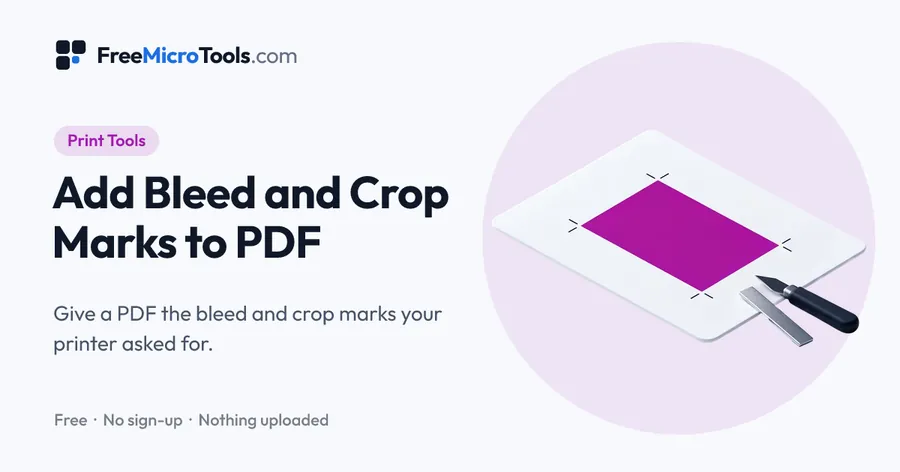
Your file is already the size it should be, with bleed built in or at its finished size, and the printer only wants to see where to cut. Open the PDF here and tell the tool how much bleed the file already carries: 3 mm or 1/8 inch if your design extends past the cut, or 0 if the page is exactly the finished size. The tool draws crop marks in the corners of every page, placed outside the artwork so they never print on the job, and writes the trim box and bleed box that the printer's software reads. Nothing inside the page is moved, scaled or recompressed. If the PDF already has a trim box of its own, that is used for the cut. A preview shows page one with the cut line drawn on it, and everything happens on your device, so the file is never uploaded.
How it works
Add Crop Marks to PDF is a web page that does its work on your own device. The file you choose is opened by your browser, changed there and saved from there; it is never sent to a server, so there is no copy of it anywhere to delete, no queue and no waiting for an upload. Most online tools of this kind send your file to their servers and work on it there, and many keep it for a while. This one does not. There is no account, no watermark and no limit on how often you use it, and the result downloads the moment it is ready.
Which bleed figure to type
Type the bleed the file already has, not the bleed you want added. A design exported from InDesign, Illustrator or Canva with 3 mm bleed should be given 3 mm, and the marks will then sit 3 mm outside the cut. A plain page at its finished size, such as a 3.5 × 2 inch business card, should be given 0; the cut is then the edge of the page and the marks sit just beyond it.
If the file has no bleed yet
Marks alone will not satisfy a printer who asked for bleed. Open the main Add Bleed and Crop Marks tool instead, leave Mirror the edges selected, and the bleed is made for you and marked in one go.
What the marks look like
Eight short hairlines, two at each corner, in registration black, drawn at least 1/8 inch away from the artwork so no mark can touch the printed area. They sit outside the bleed box, so trimming to the marks gives the finished size.
Questions
Does adding crop marks change the page size?
The sheet grows by enough to hold the marks on each side, so the marks can sit outside the artwork. The artwork itself, the cut line and the bleed stay exactly where they were, and the trim box tells the printer the finished size.
My PDF has a trim box already. Which is used?
The file's own trim box, when it is a real one inside the page. The figure you type is only used when the file has no trim box of its own.
Can I add crop marks without bleed?
Yes. Give a bleed of 0 and the marks are placed just beyond the page edge. Many printers will still ask for bleed on anything that prints to the edge, so check what they asked for.
Is my PDF uploaded?
No. The file is opened and rewritten on your own device. Nothing is sent anywhere.
Other ways to open it
Add Bleed and Crop Marks to PDF · Add 3 mm Bleed to PDF
More
More Print tools
See all →
DPI Checker
Print ToolsSee if your image has enough pixels to print sharp at the size you want.
DPI Changer
Print ToolsSet the DPI of a JPG or PNG to 300, or any value, without touching a pixel.

PDF Print Check
Print ToolsFind out what a printer would send your PDF back for, before you send it.