
Add 3 mm Bleed to PDF
Give a PDF the 3 mm bleed most printers outside the US ask for, with crop marks.
Works in your browser. Your PDF is never uploaded.
or drop it anywhere in this box
Your artwork at its finished size. It never leaves your device.
Add 3 mm Bleed to PDF at a glance
- Price
- Free
- Works on
- PDF, any number of pages
- Bleed
- 1/8 in, 3 mm, 5 mm, 1/4 in or custom, in inches or mm
- Adds
- Bleed, crop marks, trim box, bleed box
- Artwork
- Unchanged inside the cut line when edges are mirrored
- Upload
- None, the PDF stays on your device
How to use Add 3 mm Bleed to PDF
- Open the PDFChoose the PDF or drop it into the box. It is read on your device and never uploaded. The page should be the finished size, such as 3.5 x 2 inches for a business card.
- Choose the bleedPick the amount your printer asked for, usually 1/8 inch or 3 mm. Leave Mirror the edges selected unless you have a reason to stretch, and leave crop marks on unless your printer said not to add them.
- Check the previewThe preview is page one exactly as it will be saved. The dashed line is where it will be cut; everything outside is bleed.
- DownloadDownload the PDF with bleed and send that file to your printer. Your original is not changed.
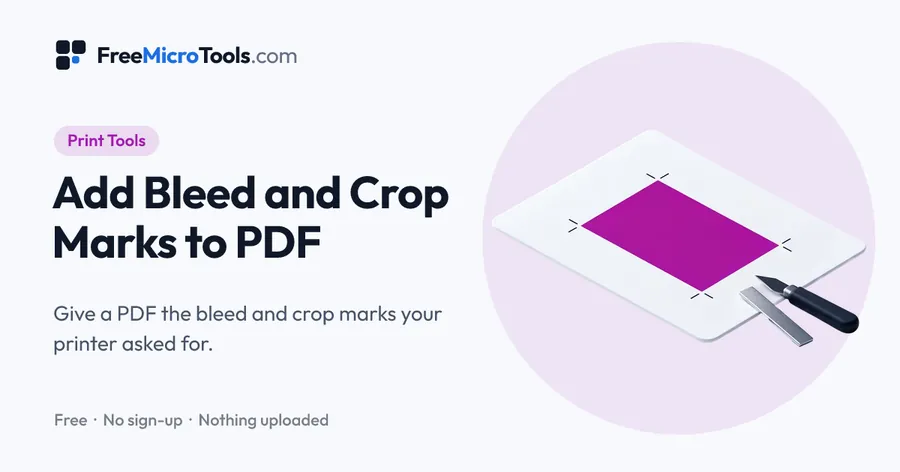
Printers in the UK, Europe, India, Australia and most of the world ask for 3 mm of bleed on every side, and send back files that do not have it. Open the PDF here and it is already set to 3 mm: every page is extended 3 mm past its edge on all four sides by mirroring the artwork outwards, crop marks are drawn in the corners, and the trim and bleed boxes are written so the printer's software knows where the cut falls. Nothing inside the page moves or changes size. If your design is a plain colour or a full-page photo you can stretch it instead, and if it already carries 3 mm of bleed you can just add the marks. The preview shows page one exactly as it will be saved. Everything happens on your device, so the file is never uploaded.
How it works
Add 3 mm Bleed to PDF is a web page that does its work on your own device. The file you choose is opened by your browser, changed there and saved from there; it is never sent to a server, so there is no copy of it anywhere to delete, no queue and no waiting for an upload. Most online tools of this kind send your file to their servers and work on it there, and many keep it for a while. This one does not. There is no account, no watermark and no limit on how often you use it, and the result downloads the moment it is ready.
3 mm or 1/8 inch?
3 mm and 1/8 inch (3.175 mm) are close enough that any printer will accept either. Use 3 mm when the printer gave sizes in millimetres, which is nearly everyone outside the United States, and 1/8 inch for a US printer. Only large-format work, such as banners, usually asks for more, typically 5 mm or 1/4 inch.
What the finished file looks like
An A4 page of 210 × 297 mm becomes 216 × 303 mm of bleed area, with crop marks a little beyond that. The trim box inside the file still says 210 × 297 mm, so the printer cuts it back to A4 and the mirrored strip disappears.
When mirroring looks wrong
Mirroring reflects the outer edge of the design, which is invisible on plain backgrounds and photos but can look odd where text or a hard shape runs right to the edge. In that case either stretch the page by 3 mm instead, or go back to the design file and extend the artwork properly.
Questions
Is 3 mm bleed enough?
For business cards, flyers, leaflets, posters and books, yes; it is the standard figure in the UK, Europe, India and Australia. Banners and large signs are often cut less precisely, so their printers ask for 5 mm or more.
Will the text or pictures move?
No. The page is extended outwards by mirroring its edges, so everything inside the cut line stays exactly where it was and at the same size. Only Stretch the artwork enlarges the page, and only by the 3 mm needed.
Does it work on a multi-page PDF?
Yes. Every page gets 3 mm of bleed and its own crop marks, and pages that are turned stay turned.
Is my PDF uploaded?
No. The file is read and rewritten on your own device. Nothing is sent anywhere.
Other ways to open it
Add Bleed and Crop Marks to PDF · Add Crop Marks to PDF
More
More Print tools
See all →
DPI Checker
Print ToolsSee if your image has enough pixels to print sharp at the size you want.
DPI Changer
Print ToolsSet the DPI of a JPG or PNG to 300, or any value, without touching a pixel.

PDF Print Check
Print ToolsFind out what a printer would send your PDF back for, before you send it.