
Passport Photo Maker
Crop your own picture to passport size, with a head guide and print sheets.
Works in your browser. Your photo is never uploaded.
or drop it anywhere in this box
A front-facing photo against a plain wall works best. It never leaves your device.
Drag the photo to move it. Put the top of the head on the upper green band and the chin on the lower one.
Passport Photo Maker at a glance
- Price
- Free
- Photos uploaded
- None, it runs in your browser
- US passport
- 2 × 2 in (51 × 51 mm)
- UK and India passport
- 35 × 45 mm
- Canada passport
- 50 × 70 mm
- Print sheets
- 4 × 6 in JPG and A4 PDF
How to use Passport Photo Maker
- Choose your photoPress Choose a photo and pick a recent front-facing picture.
- Line it upChoose the country in Photo for, then drag, zoom and straighten until the top of the head and the chin sit on the green bands.
- Download or printPress Download photo (JPG) for online forms, or Print sheet 4 × 6 in (JPG) or Print sheet A4 (PDF) to print several copies.
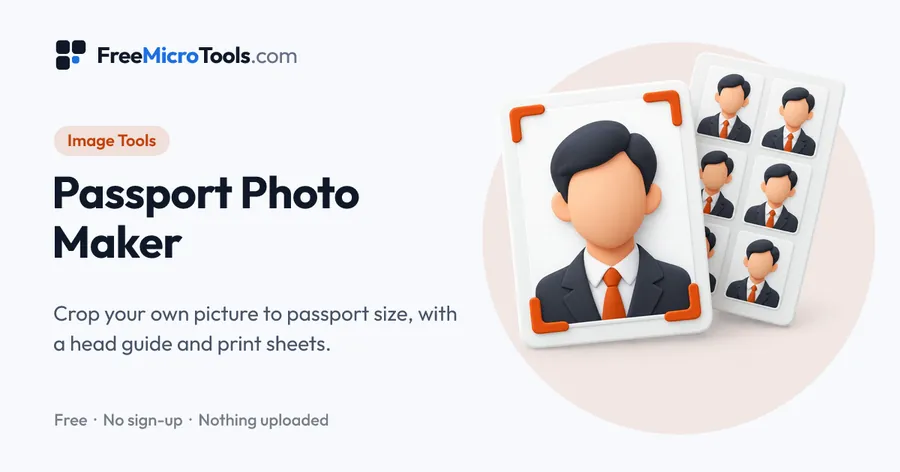
Choose a front-facing photo, pick the country, and line the head up with the green guides. The tool crops it to the exact size in millimetres, then saves a single photo for online forms, a 4 × 6 inch sheet for a photo lab, or an A4 PDF you can print at home and cut out. Sizes for US, UK, India, Canada, Australia and Schengen visa photos are built in, and you can type a custom size. Your photo is read by your own browser and never uploaded.
How it works
Passport Photo Maker is a web page that does its work on your own device. The file you choose is opened by your browser, changed there and saved from there; it is never sent to a server, so there is no copy of it anywhere to delete, no queue and no waiting for an upload. Most online tools of this kind send your file to their servers and work on it there, and many keep it for a while. This one does not. There is no account, no watermark and no limit on how often you use it, and the result downloads the moment it is ready.
Photo sizes at a glance
| Photo for | Size | Head, chin to crown |
|---|---|---|
| US passport or visa | 2 × 2 in (51 × 51 mm) | 25–35 mm |
| UK passport | 35 × 45 mm | 29–34 mm |
| India passport | 35 × 45 mm | Not published; guide 32–36 mm |
| Canada passport | 50 × 70 mm | 31–36 mm |
| Australia passport | 35 × 45 mm | 32–36 mm |
| Schengen visa | 35 × 45 mm | 32–36 mm |
These come from each government's published guidance. Rules change and some offices add their own, so check the current requirements for your application.
Taking a photo that works
- Plain background: stand a step away from a plain wall in the colour your application asks for, so no shadow falls behind you.
- Even light: face a window rather than standing under a ceiling light, which casts shadows under the eyes.
- Camera at eye level: have someone else take it from about 1.5 metres away. Selfies held at arm's length distort the face.
- Neutral expression: mouth closed, eyes open, looking straight at the camera.
Printing at the right size
Photo labs and pharmacy kiosks print the 4 × 6 inch sheet as a standard photo. At home, open the A4 PDF and choose actual size or 100% in the print dialog. Fit to page shrinks everything a little, and a few millimetres is enough for a photo to be rejected. Measure one photo with a ruler before you cut them all.
What it does
- US 2 × 2 inch, UK, India, Canada, Australia and Schengen visa sizes, plus a custom size
- Green guides show where the top of the head and the chin should sit
- Drag, pinch, zoom and straighten to line the photo up
- Download one photo as a high-resolution JPG for online applications
- 4 × 6 inch print sheet for photo labs and pharmacy kiosks
- A4 PDF sheet at exact size, with light cut lines
- Warns when the photo is too small to print sharply
Questions
What size is a US passport photo?
2 × 2 inches (51 × 51 mm), with the head measuring 1 to 1 3/8 inches (25 to 35 mm) from the bottom of the chin to the top of the head, according to the U.S. Department of State.
What size is a UK passport photo?
45 mm high and 35 mm wide, with the head between 29 mm and 34 mm from the bottom of the chin to the crown, according to GOV.UK. The background should be plain cream or light grey.
What size is an Indian passport photo?
Passport Seva asks for a 4.5 × 3.5 cm colour photo on a white background. It does not publish a head size, so the green guides use the international range of 32 to 36 mm.
What is the passport photo size in India in cm, inches and pixels?
3.5 cm wide by 4.5 cm high, which is 35 × 45 mm or about 1.38 × 1.77 inches. In pixels it depends on the print resolution: 413 × 531 pixels at 300 dpi. The tool saves the photo at 620 × 797 pixels, enough to print sharply at that size.
Will my photo be accepted?
The tool gets the size and head position right, but acceptance also depends on lighting, expression, glasses, background and how recent the photo is. Every office sets its own rules and they change, so check the current requirements for your application before you submit or print.
How do I print the photos at the right size?
Take the 4 × 6 inch sheet to a photo lab or kiosk and ask for a standard 4 × 6 print, or print the A4 PDF at home. When printing, choose actual size or 100%, never fit to page, or the photos will come out slightly too small.
Does it remove or change the background?
No. It crops and straightens your photo but does not change your face or the background. Take the picture against a plain wall in the colour your application asks for.
Is my photo uploaded?
No. The photo is read and cropped by your own browser, and nothing is sent to us or anyone else.
More
More Image tools
See all →
Exam Photo and Signature Resizer
Image ToolsGet your photo and signature within the exact KB and pixel limits of an exam form.
HEIC to JPG Converter
Image ToolsTurn iPhone HEIC photos into JPG files that open and upload anywhere.
PSD to PNG Converter
Image ToolsOpen Photoshop PSD files without Photoshop and save them as PNG or JPG, layers included.